
We can extract the RAR file using the ZIP Extractor app. The first step is to install the ZIP Extractor app using the steps below.
- Right-click on the ZIP file on your Google Drive. Select the Open with option. Now click on the + Connect more apps option, as highlighted below.

- Search for the “ZIP Extractor” and click on the search result for the Zip Extractor application, as highlighted below.

- Now, click the Install button to install the ZIP Extractor app as shown below.

- On the Get Ready to Install window, click on the Continue button as highlighted below.

- You need to choose the Gmail account to continue the ZIP extractor installation.

- Grant permission to the ZIP Extractor app by clicking on the Allow button.

- Again, click the Allow button to grant the ZIP Extractor permission to view and manage the Google Drive files and folders you have opened or created with the ZIP Extractor app.

- Finally, click on the Allow button to trust the ZIP Extractor APP.

You can now click the Done button to complete the ZIP Extractor installation. To extract the RAR file, follow the below steps.
- Log in to https://drive.google.com/.
- Right-click on the RAR file you want to open, click on Open with the option, and click on the ZIP Extractor option, as highlighted below.

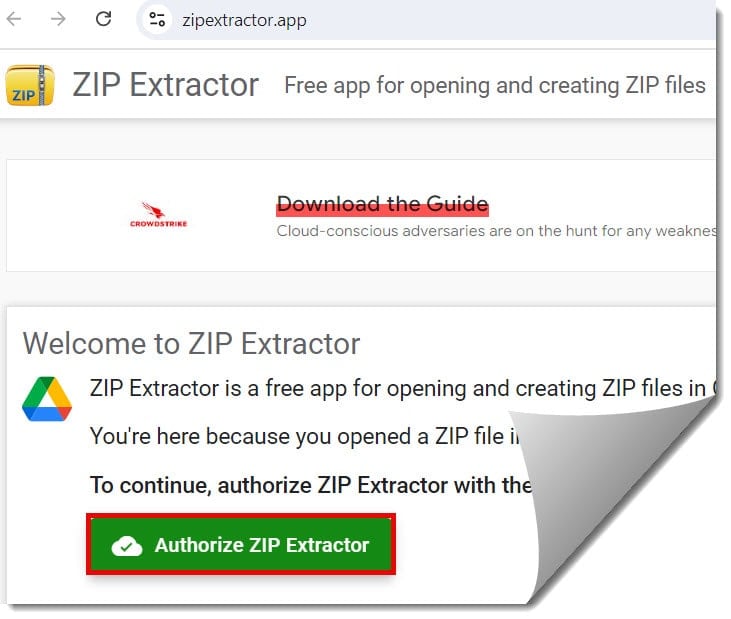
3. Click the Authorize ZIP extractor button, as shown in the screenshot below.
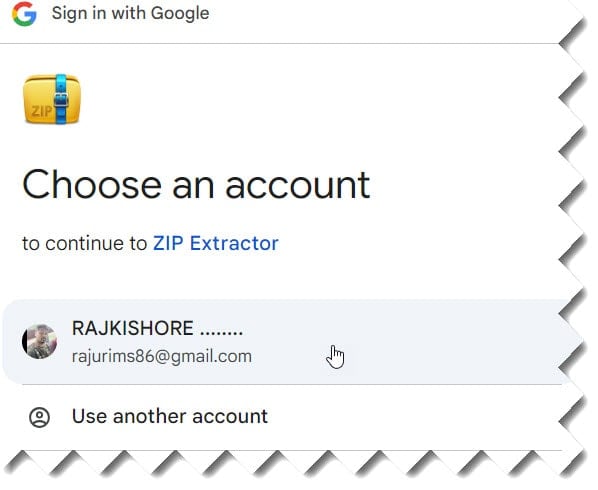
4. Select your Gmail account and click the continue button on the next window.
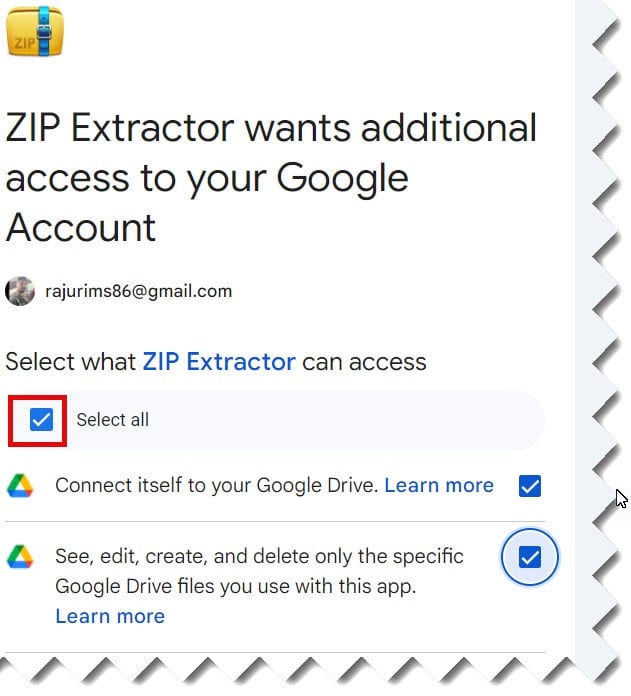
5. Select the Select all check box and then click on the Continue button, as shown in the screenshot below.
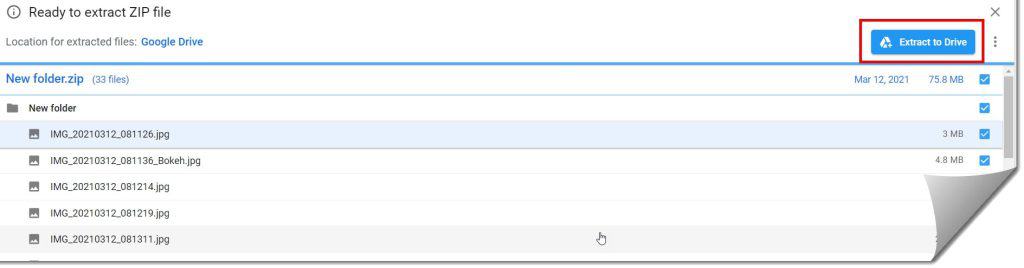
6. Now, you can able to see all the files. Click the Extract to Drive button to extract to Google Drive, as shown in the screenshot below.

I am Rajkishore, and I have over 14 years of experience in the Software Industry. For a long time, I have been using Google Docs, Google Drive, and Google Sheets for my document usage, and I am sharing all the tips and tricks, the challenges I have come across, and their solutions to use Google Docs for your day-to-day use. I hope you will learn from these practical Google Docs tutorials. Read more.