How to insert trademark symbol in Google Docs (4 Easy Methods)

How to make trademark symbol on Google Docs

The TradeMark symbol is often important to add to your Google Docs document. Google Docs provides you with multiple approaches to add trademark symbols in Google Docs. How to insert trademark symbol in Google Docs There are multiple ways to make a trademark symbol in Google Docs. We will discuss all the approaches here. Approach-1: …

Read more

How to move horizontal line in Google Docs

How to move horizontal line in Google Docs

Let’s quickly discuss how to move horizontal line in Google Docs. How to move horizontal line in Google Docs Follow the below steps. 2. Use your left mouse to click drag and drop the horizontal line wherever you want to place it. Alternatively, You can right-click on the selected line –> select the Cut option …

Read more

Why does Google Docs keep crashing

Why does Google Docs keep crashing

In this Google Docs article, we will discuss the solution to your question of why does my Google Docs keep crashing. Why does Google Docs keep crashing [PC] A few people are facing the issue of their Google Docs crashing. This happens while working with Google Docs on PC and mobile. You can follow the …

Read more

Google Docs Not Saving Comments

Google Docs Not Saving Comments

The reason for Google Docs not saving could be the same as we have mentioned in the article Why Google Docs didn’t Save My Work and then another important and additional point for this could be Google Docs Not Saving Comments [Solved] Ensure the comment you have added has been published, meaning it shouldn’t be a pending comment. To Publish the …

Read more

Google Docs didn’t Save My Work

Google Docs didn't Save My Work

Google Docs is an excellent word processor for documenting. By the end of this article, you will know how to fix Google Docs that do not save changes or comments. Why Google Docs Didn’t Save My Work Solution Let’s discuss the quick solutions to fix this error. Restore the Last Saved Version There is a …

Read more

Google Drive Link Sharing Not Working

Google Drive Link Sharing Not Working

You might be exhausted from trying to open the shared Google Drive link for a while. Still, the shared Google Drive link is not working? No worries! I’m here to help you. In this article, I’ll shed some light on how to resolve it.  3 Reasons that might affect the Google Drive link sharing: Below are …

Read more

How to allow comments on Google Docs

How to allow comments on Google Docs

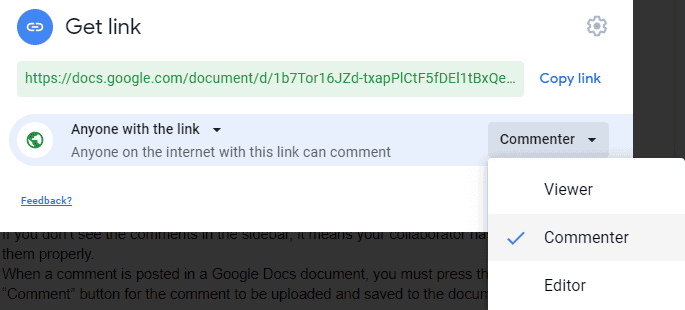
In this article, we will discuss how to allow comments on Google Docs. How to allow comments on Google Docs Follow the below steps to allow comments on Google Docs. You may also like following the articles below In this article, we discussed how to allow comments on Google Docs. Thanks for reading this article …

Read more

How to view all comments on Google Docs

How to view all comments on Google Docs

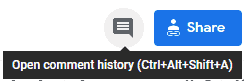
In this article, we will discuss how to view all comments on Google Docs How to view all comments on Google Docs Follow the below steps to view all comments on Google Docs. This is how to view comments on Google Docs. Benefits of adding comments You may also like following the articles below Conclusion In …

Read more

How to resolve comments in Google Docs

How to resolve comments in Google Docs

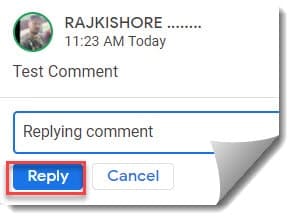
Once you have added a comment or even tried to review the comments mentioned by different collaborators, you will have a few options like reply and resolve. How to resolve comments in Google Docs You may also like following the articles below Conclusion In this article, we discussed how to resolve comments in Google Docs. …

Read more

Google Photos Resize image

Google Photos resize image

Google Photos is the home for all your photos and videos, automatically organized and easy to share with others. But the drawback with Google Photos is that you can’t resize an uploaded image. Let’s dive deep into how to resize image in Google Photos. How to resize an image in Google Photos Even though you …

Read more