Identify empty folders in Google Drive

Identify empty folders in Google Drive
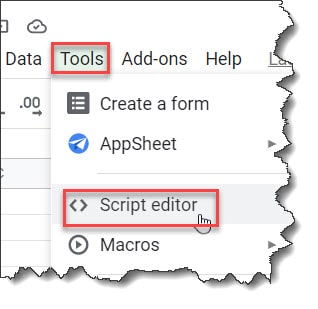
This article will discuss how to identify empty folders in Google Drive. Identify empty folders in Google Drive The best way to do this is, via a script. Say you must find the empty folders and then delete them. You can follow the below steps. 3. In the code editor window paste the below code. …

Read more

How to see folder size in Google Drive?

How to see folder size in google drive?

Google drive is a flexible storage medium to store your files. Google Drive supports many attractive plans, evident with extremely generous free plans and large storage capacity with the paid plans. Let us check how to see folder size in Google Drive. How to see folder size in Google Drive – Quick hack Note: This …

Read more

How to wrap text around a table in Google Docs

How to wrap text around a table in Google Docs

In this article, we discussed how to text wrap in Google Docs. Let’s get started. How To Wrap Text Around A Table In Google Docs There is no direct option to wrap text around a table in Google Docs. But as some workarounds, we will discuss multiple methods as part of this topic. You can …

Read more

Google Docs Birthday Invitation Template

Google Docs Birthday Invitation Template

Wouldn’t you agree that Google Docs is an excellent tool for creating personalized birthday invitations? Well, you certainly must be! You may quickly and easily design your birthday invitation template using Google Docs. So, what’s holding you back from making your own Google Docs birthday invitation template? How to make a Birthday invitation on Google …

Read more

Google Docs bullet points shortcut

Google Docs bullet points shortcut

Google Docs is a well-known tool widely used to create newsletters, articles, etc. It is loaded with several features that make completing tasks a lot easier. Among the numerous incredible features provided, we will dive deeper into the ‘Bullet Points’ feature of Google Docs. Google Docs Bullet Points Shortcut You can select the complete text and then …

Read more

How to go back a bullet point in Google Docs

How to go back a bullet point in Google Docs

This article will discuss how to go back on a bullet point in Google Docs. How to go back a bullet point in Google Docs Press Shift + Tab keys from your keyboard to go back to the main bullet point after a sub-bullet point. Voila!! It is so easy to go back on a bullet point …

Read more

Google Docs Bullet Points Indent

Google Docs Bullet Points Indent

In this article, let’s discuss how to indent bullet points in Google Docs. Google Docs Bullet Points Indent Follow the below quick steps to indent bullet points in Google Docs. 4. On the Indentation options window, select the Special indent option as First-line or Hanging based on your need. Finally, click on the Apply button. You may also like following the …

Read more

Google Docs Multilevel List

Google Docs Multilevel List

It’s pretty easy to create a multilevel list in Google Docs. Not only that you can also able to customize the multilevel list with ease. Google Docs Multilevel List It would be best if you had minimal effort to create a multilevel list in Google Docs. How to create multilevel list in Google Docs You can follow …

Read more

How To Move Bullet Points In Google Docs

How To Move Bullet Points In Google Docs

Do you know you just need to follow 2 simple steps to move bullet points in Google Docs? How To Move Bullet Points In Google Docs If you want to move the bullet points in Google Docs, you can do that using the below steps. 2. You can put the cursor before the text of the bullet …

Read more

How To Put Bullet Points Side By Side In Google Docs

How To Put Bullet Points Side By Side In Google Docs

Sometimes, we used to get the requirement to put Bullet points side by side in Google Docs. How To Put Bullet Points Side By Side In Google Docs Follow the below quick steps to make bullet points side by side in Google Docs 3. It will add the bullet list. Select the complete text again –> Click on …

Read more