How to print PDF 2 pages on one sheet
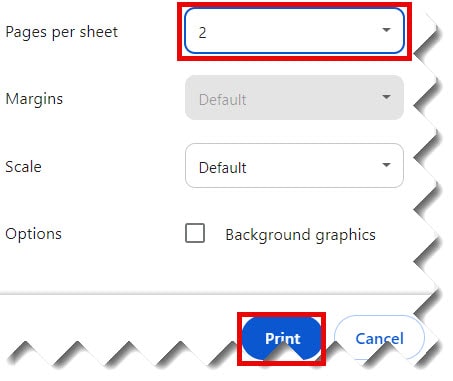
In Windows, you can print two pages on a sheet. To do so, follow the below steps. 1. Open your Google Docs document that is in PDF format that you wish to print. 2. Click on the File menu —> Choose the Print option. 3. Choose 2 from the Pages per sheet dropdown from the ‘Print’ pop-up. 4. Finally, click on the ‘OK’ button …