How To Resize A Table In Google Docs
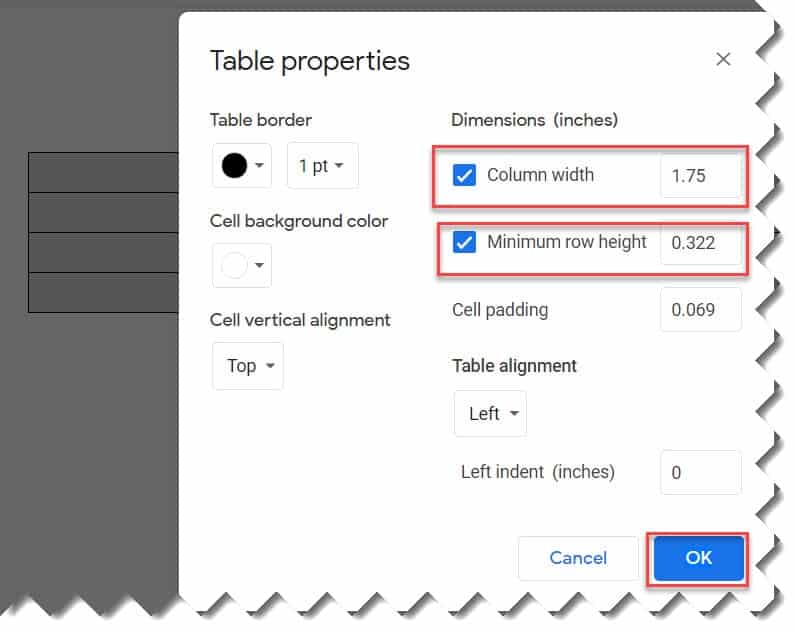
Sometimes, you might have to resize a table in Google Docs. Follow the below steps to learn how to resize a table in Google Docs. 4. On the Table properties window, now set the height and width of the rows and columns under Dimensions as highlighted below. Finally, click on the Ok button. Voila!!! This is how to resize a table in Google Docs.